
How to Translate 100,000 Product Descriptions Using an API
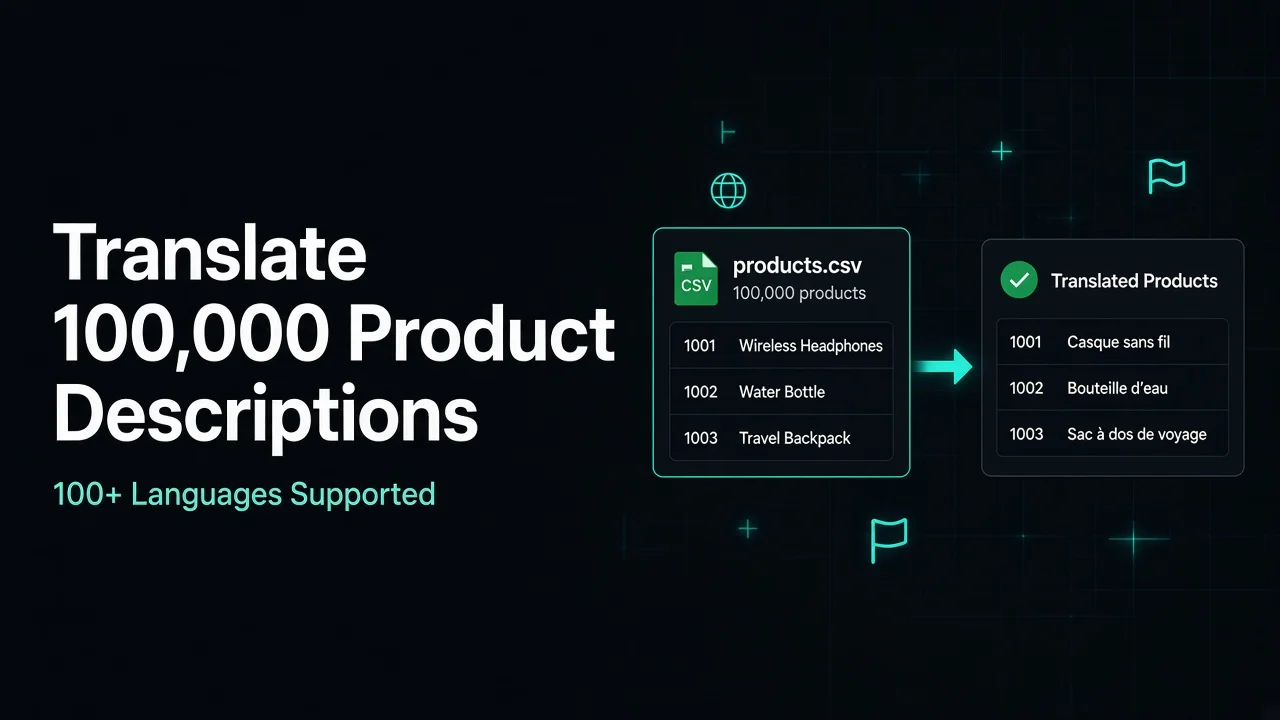
Translating thousands of product descriptions manually is time-consuming, expensive, and difficult to manage. For ecommerce businesses with large product catalogs, the challenge becomes even bigger when products need to be available in multiple languages.
Imagine running an online store with 100,000 products in English and planning to translate that catalog into five additional languages: French, German, Spanish, Italian, and Dutch. You need to translate product titles, descriptions, specifications, and other content while keeping every translation connected to the correct product—500,000 translated descriptions if each product has one description per target language.
Hiring translators to handle this volume can require significant time and resources. A more scalable approach is to use a translation API to automate the process.
In this tutorial, we'll explain how to translate 100,000 product descriptions using a translation API, organize product data with CSV files, process translations in batches, and save the results for your ecommerce platform. We'll use Python and the TranslatePlus Batch Translation API to demonstrate the implementation.
Why Automate Product Description Translation?
Product descriptions help customers understand what they are purchasing. When expanding into international markets, providing product information in customers' preferred languages can improve the shopping experience. However, translating a large product catalog creates several challenges.
Managing large product catalogs
An ecommerce store with 100,000 products may contain millions of characters of content. Translating each description individually creates unnecessary HTTP requests and makes the process difficult to manage.
Supporting multiple languages
Suppose your store currently has an English catalog and you want to translate it into five additional languages: French, German, Spanish, Italian, and Dutch. For 100,000 products, this means managing 500,000 translated descriptions—one for each product in each target language.
Keeping product information updated
Product catalogs change regularly. Businesses add new products, update specifications, change descriptions, and remove discontinued items. An automated system should translate only new or modified content instead of processing the entire catalog every time.
Maintaining product data structure
Every translated description must remain associated with its original product. Losing product IDs, SKUs, or other identifiers can create serious problems when importing translated content back into an ecommerce platform.
A properly designed translation workflow solves these problems through structured data, batch processing, and automated result storage.
How Many HTTP Requests and Credits Are Needed?
Before implementing a translation system, calculate both HTTP volume and credit consumption separately.
Suppose your ecommerce catalog contains:
- 100,000 products.
- One description per product.
- English as the source language.
- French as the target language.
- An average of 500 characters per description.
Your total source content is: 100,000 × 500 = 50,000,000 characters.
If you translate that English catalog into five target languages—French, German, Spanish, Italian, and Dutch—the workload becomes: 100,000 × 5 = 500,000 translated descriptions.
This distinction matters because each target language requires a separate translation operation.
A batch API request and a translation credit are not the same thing. One HTTP request can contain up to 100 text items, and each text item consumes one translation credit.
With a batch API that supports 100 text items per HTTP request:
| Requirement | Calculation |
|---|---|
| Products | 100,000 |
| Target languages | 1 |
| Texts per batch HTTP request | 100 |
| Batch HTTP requests (API calls) | 1,000 |
| Translation credits (1 per text) | 100,000 |
| Target languages | 5 |
| Total translated descriptions | 500,000 |
| Total batch HTTP requests | 5,000 |
| Total translation credits | 500,000 |
These calculations assume one description per product, successful translation of every item, and no additional translation of titles or other fields. Batching reduces the number of HTTP calls your app makes; it does not reduce the translation credits consumed by each text item.
Choosing a Translation API for Ecommerce
When selecting a translation API for a large ecommerce catalog, consider more than translation quality.
Important requirements include:
- Batch translation support.
- Maximum texts per request.
- Maximum characters per request.
- Supported languages.
- Predictable pricing.
- API rate limits.
- Error handling.
- Developer documentation.
- Integration with Python and other programming languages.
TranslatePlus provides a developer-focused REST API with dedicated endpoints for text, batch, HTML, email, subtitles, and application localization. Its batch endpoint allows developers to translate up to 100 text items in one HTTP request.
Explore the TranslatePlus API documentation.
Step 1: Prepare Your Product Catalog
The first step is to export your product catalog into a structured CSV file. For this example, create a file named products.csv.
Your CSV should contain the following columns:
| product_id | sku | name | description |
|---|---|---|---|
| 1001 | SH-001 | Wireless Headphones | Premium wireless headphones with noise cancellation. |
| 1002 | WT-002 | Water Bottle | Stainless steel water bottle with a leak-proof lid. |
| 1003 | BK-003 | Travel Backpack | Lightweight travel backpack with multiple compartments. |
The product ID and SKU are important because they allow you to connect translated descriptions to the original products. You should also keep the original product information unchanged.
For large catalogs, avoid exporting unnecessary database fields. Only include the content that needs translation and the identifiers required to update the correct records.
Step 2: Create a TranslatePlus Account and Get an API Key
To use the TranslatePlus API, you need an account and an API key.
- Visit TranslatePlus.
- Create an account or sign in.
- Open your dashboard.
- Navigate to API Keys.
- Generate an API key.
- Store the key securely.
Every API request must include the API key in the X-API-KEY HTTP header.
For security, don't put your API key directly into publicly accessible source code or commit it to GitHub. You can read the TranslatePlus authentication guide.
Step 3: Understand the Batch Translation API
TranslatePlus provides a dedicated endpoint for translating multiple text items in one request.
Endpoint: POST https://api.translateplus.io/v2/translate/batch
The endpoint accepts an array of 1–100 texts. All texts within a batch use the same source and target languages.
Example batch request
curl https://api.translateplus.io/v2/translate/batch \
  -H "X-API-KEY: your_api_key" \
  -H "Content-Type: application/json" \
  -d '{
    "texts": [
      "Premium wireless headphones",
      "Stainless steel water bottle",
      "Lightweight travel backpack"
    ],
    "source": "en",
    "target": "fr"
  }'
Example response
{
  "translations": [
    {
      "text": "Premium wireless headphones",
      "translation": "Casque sans fil haut de gamme",
      "source": "en",
      "target": "fr",
      "success": true
    },
    {
      "text": "Stainless steel water bottle",
      "translation": "Bouteille d'eau en acier inoxydable",
      "source": "en",
      "target": "fr",
      "success": true
    },
    {
      "text": "Lightweight travel backpack",
      "translation": "Sac à dos de voyage léger",
      "source": "en",
      "target": "fr",
      "success": true
    }
  ],
  "total": 3,
  "successful": 3,
  "failed": 0
}
Each text item consumes one translation credit. A batch containing 100 product descriptions consumes 100 credits and counts as 1 HTTP request—not one credit for the whole batch.
Character limits also apply per text item, not to the combined length of the batch. If your plan allows 1,000 characters per request, each description in the batch must fit that limit individually. Sending 100 short descriptions in one HTTP call does not pool those character budgets into a single shared total.
See the complete Batch Translation API reference.
Step 4: Install Python Dependencies
We'll use Python to read the product CSV, divide descriptions into batches, send API requests, and save translated descriptions.
Install the required dependency:
Create a project directory:
mkdir product-translator
cd product-translator
Add your files:
product-translator/
├── products.csv
├── translate_products.py
├── translated_products.csv
├── failed_products.csv
└── translation_checkpoint.txt
Set your API key as an environment variable.
On macOS or Linux:
On Windows PowerShell:
Step 5: Write the Python Batch Translation Script
The following Python implementation reads product descriptions from a CSV file, divides them into groups of 100, sends each batch to TranslatePlus, and splits results into success and failure files. It respects Retry-After on HTTP 429/5xx responses, retries failed individual items instead of abandoning the whole batch, resumes from successful product_ids via a checkpoint file, and uses a configurable BATCH_DELAY_SECONDS / TRANSLATEPLUS_BATCH_DELAY pause between batches for rate limits. Product IDs and SKUs are preserved for ecommerce import.
Create translate_products.py:
import csv
import os
import time
import requests

from itertools import islice

API_URL = (
    "https://api.translateplus.io/v2/translate/batch"
)

API_KEY = os.getenv("TRANSLATEPLUS_API_KEY")

SOURCE_LANGUAGE = "en"
TARGET_LANGUAGE = "fr"

BATCH_SIZE = 100
MAX_RETRIES = 5
ITEM_RETRIES = 3
RETRY_DELAY = 2

# Pause between batches to stay within your plan's
# requests-per-second limits. Override with env var.
BATCH_DELAY_SECONDS = float(
    os.getenv("TRANSLATEPLUS_BATCH_DELAY", "0.2")
)

INPUT_FILE = "products.csv"
OUTPUT_FILE = "translated_products.csv"
FAILED_FILE = "failed_products.csv"
CHECKPOINT_FILE = "translation_checkpoint.txt"

RESULT_FIELDS = [
    "product_id",
    "sku",
    "name",
    "original_description",
    "translated_description",
    "source",
    "target",
    "status",
    "error",
]

if not API_KEY:
    raise ValueError("Missing TRANSLATEPLUS_API_KEY")


def read_products():
    with open(
        INPUT_FILE,
        "r",
        encoding="utf-8-sig",
        newline=""
    ) as file:

        reader = csv.DictReader(file)

        required = {
            "product_id",
            "sku",
            "name",
            "description"
        }

        if not required.issubset(reader.fieldnames or []):
            raise ValueError(
                "CSV must contain product_id, sku, "
                "name and description columns"
            )

        for row in reader:
            if row["description"].strip():
                yield row


def batches(items, size):
    iterator = iter(items)

    while True:
        batch = list(islice(iterator, size))

        if not batch:
            break

        yield batch


def load_completed_ids():
    completed = set()

    if not os.path.exists(CHECKPOINT_FILE):
        return completed

    with open(CHECKPOINT_FILE, "r", encoding="utf-8") as file:
        for line in file:
            product_id = line.strip()
            if product_id:
                completed.add(product_id)

    return completed


def append_checkpoint(product_id):
    with open(CHECKPOINT_FILE, "a", encoding="utf-8") as file:
        file.write(f"{product_id}\n")


def open_csv_writer(path):
    file_exists = (
        os.path.exists(path) and os.path.getsize(path) > 0
    )
    handle = open(path, "a", encoding="utf-8", newline="")
    writer = csv.DictWriter(handle, fieldnames=RESULT_FIELDS)

    if not file_exists:
        writer.writeheader()

    return handle, writer


def retry_wait_seconds(response, attempt):
    if response is not None:
        retry_after = response.headers.get("Retry-After")

        if retry_after:
            try:
                return max(float(retry_after), 0)
            except ValueError:
                pass

    return RETRY_DELAY * (2 ** attempt)


def translate_batch(texts):
    headers = {
        "X-API-KEY": API_KEY,
        "Content-Type": "application/json"
    }

    payload = {
        "texts": texts,
        "source": SOURCE_LANGUAGE,
        "target": TARGET_LANGUAGE
    }

    for attempt in range(MAX_RETRIES):
        response = None

        try:
            response = requests.post(
                API_URL,
                headers=headers,
                json=payload,
                timeout=120
            )

            if response.status_code == 429 or response.status_code >= 500:
                if attempt == MAX_RETRIES - 1:
                    response.raise_for_status()

                wait_seconds = retry_wait_seconds(
                    response,
                    attempt
                )
                print(
                    f"HTTP {response.status_code}; "
                    f"retrying in {wait_seconds:.1f}s"
                )
                time.sleep(wait_seconds)
                continue

            response.raise_for_status()

            data = response.json()
            translations = data.get("translations", [])

            if len(translations) != len(texts):
                raise ValueError(
                    "Translation response count does not match "
                    "the submitted batch"
                )

            return translations

        except requests.RequestException as error:
            if attempt == MAX_RETRIES - 1:
                raise

            wait_seconds = retry_wait_seconds(
                getattr(error, "response", response),
                attempt
            )
            print(
                f"Request error: {error}; "
                f"retrying in {wait_seconds:.1f}s"
            )
            time.sleep(wait_seconds)

    raise RuntimeError("Batch translation failed")


def translate_single(text):
    results = translate_batch([text])
    return results[0]


def write_success(writer, product, result):
    writer.writerow({
        "product_id": product["product_id"],
        "sku": product["sku"],
        "name": product["name"],
        "original_description": product["description"],
        "translated_description": result.get(
            "translation",
            ""
        ),
        "source": SOURCE_LANGUAGE,
        "target": TARGET_LANGUAGE,
        "status": "success",
        "error": "",
    })


def write_failure(writer, product, error_message):
    writer.writerow({
        "product_id": product["product_id"],
        "sku": product["sku"],
        "name": product["name"],
        "original_description": product["description"],
        "translated_description": "",
        "source": SOURCE_LANGUAGE,
        "target": TARGET_LANGUAGE,
        "status": "failed",
        "error": error_message,
    })


def translate_products():
    completed_ids = load_completed_ids()
    products = [
        product
        for product in read_products()
        if product["product_id"] not in completed_ids
    ]

    if completed_ids:
        print(
            f"Resuming: skipping {len(completed_ids)} "
            f"already-successful product_ids"
        )

    total = 0
    successful = 0
    failed = 0
    skipped = len(completed_ids)

    output, success_writer = open_csv_writer(OUTPUT_FILE)
    failed_output, failed_writer = open_csv_writer(FAILED_FILE)

    try:
        for batch_number, batch in enumerate(
            batches(products, BATCH_SIZE),
            start=1
        ):

            texts = [
                product["description"]
                for product in batch
            ]

            print(
                f"Processing batch {batch_number}: "
                f"{len(batch)} products"
            )

            batch_error = None

            try:
                results = translate_batch(texts)

            except Exception as error:
                batch_error = str(error)
                print(
                    f"Batch {batch_number} failed: {error}"
                )
                results = [
                    {"success": False, "translation": ""}
                    for _ in batch
                ]

            for product, result in zip(batch, results):
                is_successful = result.get("success") is True
                item_error = batch_error or "translation failed"

                if not is_successful:
                    for item_attempt in range(ITEM_RETRIES):
                        try:
                            print(
                                f"Retrying product_id "
                                f"{product['product_id']} "
                                f"({item_attempt + 1}/{ITEM_RETRIES})"
                            )
                            result = translate_single(
                                product["description"]
                            )
                            is_successful = (
                                result.get("success") is True
                            )
                            if is_successful:
                                break
                        except Exception as error:
                            item_error = str(error)
                            print(
                                f"Item retry failed for "
                                f"{product['product_id']}: {error}"
                            )
                            time.sleep(
                                RETRY_DELAY * (2 ** item_attempt)
                            )

                if is_successful:
                    write_success(
                        success_writer,
                        product,
                        result
                    )
                    successful += 1
                    append_checkpoint(product["product_id"])
                else:
                    write_failure(
                        failed_writer,
                        product,
                        item_error
                    )
                    failed += 1

            output.flush()
            failed_output.flush()

            total += len(batch)

            print(
                f"Progress: {total} products | "
                f"Successful: {successful} | "
                f"Failed: {failed} | "
                f"Previously skipped: {skipped}"
            )

            time.sleep(BATCH_DELAY_SECONDS)

    finally:
        output.close()
        failed_output.close()

    print("\nTranslation completed")
    print(f"Processed this run: {total}")
    print(f"Successful this run: {successful}")
    print(f"Failed this run: {failed}")
    print(f"Skipped from checkpoint: {skipped}")
    print(f"Success output: {OUTPUT_FILE}")
    print(f"Failed output: {FAILED_FILE}")
    print(f"Checkpoint: {CHECKPOINT_FILE}")
    print(
        f"Batch delay: {BATCH_DELAY_SECONDS}s "
        f"(set TRANSLATEPLUS_BATCH_DELAY to tune)"
    )


if __name__ == "__main__":
    translate_products()
Run the script:
The script writes successful rows to translated_products.csv and unresolved failures to failed_products.csv (with an error column). On restart it skips product IDs already stored in translation_checkpoint.txt. Tune pacing with export TRANSLATEPLUS_BATCH_DELAY=0.5 (or another value that matches your plan's request-per-second limits).
Important: This script includes Retry-After handling, per-item retries after a batch-level failure, a separate failed-record CSV, and checkpoint-based resume via translation_checkpoint.txt. Production systems still need careful monitoring, queueing, alerting, and duplicate-prevention around your ecommerce import pipeline—do not treat a long-running sequential script as a full job orchestration layer.
Also, check your plan's characters-per-request limit before sending a batch. That limit applies to each text item individually—not to the combined character count of the whole batch. Batch size (up to 100 texts) and per-text character limits are separate constraints.
Step 6: Translate Products Into Multiple Languages
Once the first language is completed, you can repeat the process for additional target languages.
| Source language | Target language |
|---|---|
| English | French |
| English | German |
| English | Spanish |
| English | Italian |
| English | Dutch |
Each batch must use one target language.
For a catalog of 100,000 English products translated into French, German, Spanish, Italian, and Dutch (one description per product):
- French: 100,000 translation credits (~1,000 batch HTTP requests).
- German: 100,000 translation credits (~1,000 batch HTTP requests).
- Spanish: 100,000 translation credits (~1,000 batch HTTP requests).
- Italian: 100,000 translation credits (~1,000 batch HTTP requests).
- Dutch: 100,000 translation credits (~1,000 batch HTTP requests).
Total: 500,000 translation credits across about 5,000 batch HTTP requests—not 5,000 credits.
You can run each language as a separate job and store its output in a dedicated CSV file.
translations/
├── products_fr.csv
├── products_de.csv
├── products_es.csv
├── products_it.csv
└── products_nl.csv
This makes it easier to track progress and import translations into the correct language-specific product fields.
Step 7: Estimate TranslatePlus Pricing for 100,000 Products
Before starting a large translation job, separate three concepts that are easy to mix up:
- API / HTTP requests — the number of calls your app sends (for batch: one call can include up to 100 texts).
- Translation credits — billable units for individual texts translated. The batch API consumes 1 credit per text.
- Monthly allowance — the plan's published usage limit. On the pricing page, this appears as "requests/month." For batch translation, that allowance is consumed at 1 unit per text (the same rule the docs call a credit)—not 1 unit per HTTP call.
So a batch of 100 product descriptions is 1 HTTP request and 100 credits / 100 units of monthly allowance.
Plan "characters per request" limits also apply to each text item, not to the sum of all texts in the batch. An average 500-character description fits Free (500), Basic (1,000), Professional (1,500), and Mega (2,000). Longer product copy may require a higher plan even when your monthly allowance still has room.
Published subscription plans:
| Plan | Monthly price | Monthly allowance (requests/month) | Characters per text |
|---|---|---|---|
| Free | $0 | 5,000 | 500 |
| Basic | $49 | 250,000 | 1,000 |
| Professional | $99 | 700,000 | 1,500 |
| Mega | $299 | 3,000,000 | 2,000 |
| Enterprise | Custom | Custom | Custom |
For a 100,000-product catalog translated into one target language, you need about 1,000 batch HTTP requests (100 texts each) and 100,000 translation credits—one credit per product description—not 1,000 credits for 1,000 HTTP calls.
| Plan | Monthly allowance | Covers 100,000 texts (1 language)? |
|---|---|---|
| Free | 5,000 | No |
| Basic | 250,000 | Yes* |
| Professional | 700,000 | Yes* |
| Mega | 3,000,000 | Yes* |
*Based on the batch rule of one credit (one monthly-allowance unit) per text, each description fitting the plan's per-text character limit, and no other translation usage that month. Confirm current plan details on the pricing page and in the batch API reference.
For the same five target languages (French, German, Spanish, Italian, and Dutch), the workload is about 5,000 batch HTTP requests and 500,000 translation credits. Under the same assumptions, Professional (700,000) can cover that example; Basic (250,000) cannot.
Re-check the pricing page for current allowances, character limits, and enterprise options before starting a large catalog job.
Ready to translate your product catalog?
Start with 100 product descriptions, test the translation quality, and then scale your workflow to your entire catalog.
Step 8: Import Translated Descriptions Into Your Ecommerce Store
After completing translation, the next step is updating your ecommerce catalog. Your translated CSV contains the original product ID and SKU, which can be used to match each translation with its corresponding product.
| SKU | Original description | French description |
|---|---|---|
| SH-001 | Premium wireless headphones | Casque sans fil haut de gamme |
| WT-002 | Stainless steel water bottle | Bouteille d'eau en acier inoxydable |
| BK-003 | Lightweight travel backpack | Sac à dos de voyage léger |
You can import the resulting file into:
- Shopify.
- WooCommerce.
- Magento.
- BigCommerce.
- Custom ecommerce applications.
- Product Information Management (PIM) systems.
Before importing the full catalog, validate a small sample to confirm that product IDs, language fields, descriptions, and formatting are mapped correctly. Keep the original descriptions as your source of truth.
Best Practices for Translating Large Product Catalogs
Processing 100,000 product descriptions is not just about sending API requests. You also need to maintain data quality and avoid unnecessary translation work.
Use stable product identifiers
Always preserve product IDs and SKUs. Never depend on CSV row numbers to identify products because rows can be reordered or removed.
Translate only updated products
Store a hash of the original description. When a product changes, compare its new hash with the previous version. Only send changed descriptions for translation. This can significantly reduce unnecessary API usage.
Validate product descriptions
Check that translations are not empty, that the expected number of results is returned, and that every output is associated with the correct product. For important product categories, review a sample manually before publishing translations.
Protect brand names and product specifications
Some content should not be translated. Examples include:
- Brand names.
- Model numbers.
- Product codes.
- Technical identifiers.
- URLs.
- Certain registered trademarks.
Use background processing
For larger catalogs, run translation jobs through a background queue instead of processing everything inside a web request. Tools such as Celery and Redis can help manage jobs, retry temporary failures, and track progress.
Implement checkpointing
Save completed translations after every batch. If a process stops unexpectedly, resume from the last completed batch rather than translating the entire catalog again.
Monitor API usage
Track successful translations, failed HTTP requests, translation credits consumed, and remaining monthly request allowance. Remember that credits scale with text count, while HTTP request count scales with how you batch those texts.
Can You Translate 100,000 Product Descriptions Automatically?
Yes. A properly designed translation workflow can automate the process.
The essential components are:
- Export product descriptions from your ecommerce platform.
- Preserve product IDs and SKUs.
- Divide content into batches.
- Send each batch to a translation API.
- Save successful translations.
- Retry failed records separately.
- Validate translated content.
- Import results into your ecommerce platform.
For multiple target languages, repeat the workflow separately for each language. This approach can be extended to hundreds of thousands or millions of product descriptions, provided the translation provider's usage allowances, request limits, and processing requirements are respected.
Conclusion
Translating 100,000 product descriptions does not have to involve thousands of manual translation tasks or complicated integrations.
With Python, structured CSV files, and a batch translation API, ecommerce businesses can automate large product catalog localization projects.
TranslatePlus provides a batch translation endpoint that supports up to 100 texts per request, allowing developers to process product descriptions in manageable groups.
By combining batch processing with caching, checkpointing, error handling, and product ID mapping, you can build a reliable translation workflow for large ecommerce catalogs.
If you're developing an ecommerce platform or managing a large product database, explore the TranslatePlus Batch Translation API and test it with your own product data.
Start translating your product catalog with TranslatePlus: